Split Production Across
Every Location
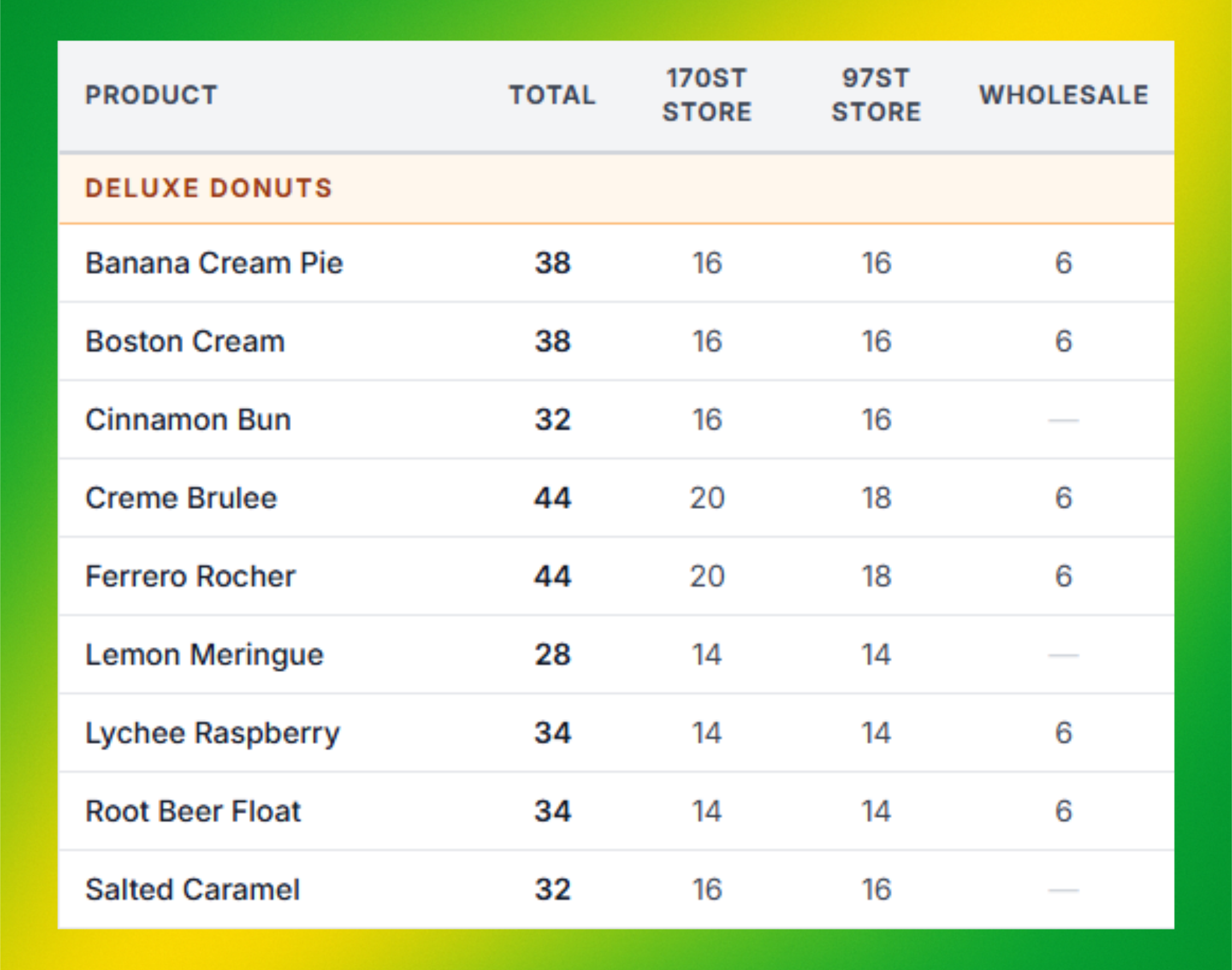
Define exactly how many of each product goes where — storefronts, wholesale, farmers markets. Distribution templates auto-populate when plans generate.
Guided onboarding
Bring your real ingredients and recipes. We help you build the first live plan.
Unlimited users
Bakers, managers, drivers, storefront staff. No per-seat fees.
Set up in 24 hours
Import recipes and ingredients with AI. No consultants needed.
Per-Location Allocations
Define exactly how many of each product goes to each location. Storefronts, wholesale accounts, farmers markets — all mapped out in advance with precise quantities.
View Paid PlansPermanent & One-Time Destinations
Set up permanent destinations for your regular stores and add one-time destinations for pop-ups, special events, and seasonal markets. Flexible enough for any scenario.
View Paid PlansCategory-Grouped Views
Products are organized by category with subtotals, making it easy for your packing team to sort and distribute without errors. Print-ready for the delivery van.
View Paid PlansWholesale Fulfillment Views
When wholesale orders are attached to a production plan, the distribution sheet can also show orders by customer, group them by route, and print packing slips for each stop.
View Paid PlansTemplate-Based Setup
Attach distribution sheets to your production templates. When a production plan generates, the distribution is ready to go automatically — no daily setup required.
View Paid PlansFrequently Asked Questions
Ready to Transform Your Bakery?
Join bakeries saving 10+ hours every week with BakeIQ.
Guided onboarding · Unlimited users · No per-seat fees